In today’s fast-paced digital world, users expect websites to load almost instantly. However, Ruby on Rails applications can sometimes face performance challenges, especially as they scale. Low website speed can lead to frustrated users, reduced conversions, and a poor user experience. But fear not—by implementing the right optimization strategies, you can significantly boost your app’s performance and ensure it runs smoothly, even under heavy traffic. Let’s explore some practical techniques to overcome these common challenges.

- Identifying bottlenecks using profiling tools
- Leveraging caching mechanisms
- Optimizing database queries
- Serving assets efficiently with CDNs and compression techniques
- Using background jobs for non-critical tasks
- Scaling with server optimizations
- Implementing lazy loading for heavy assets
1. Identifying bottlenecks using profiling tools
Tools like New Relic, Skylight, or Scout can help track key performance metrics such as response times, slow database queries, and memory usage. You can also use the rack-mini-profiler gem in development to visualize slow parts of your application. Regular profiling allows you to pinpoint exact lines of code or queries that need optimization. For more granular analysis, tools like ruby-prof or stackprof can provide detailed performance breakdowns.
2. Leveraging caching mechanisms
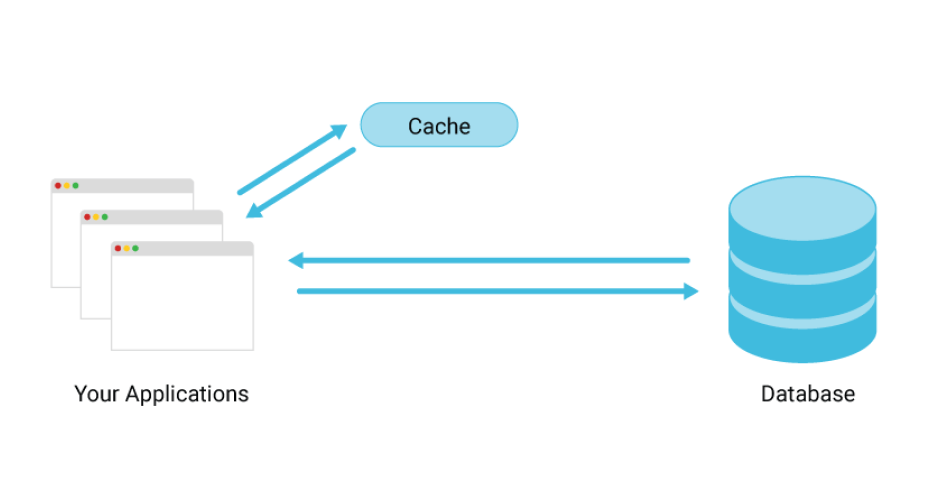
Rails offers a robust caching system, including page, action, and fragment caching, to avoid rendering or processing the same content repeatedly. Use Rails.cache for application-wide caching and set appropriate cache expiration policies. Store frequently accessed data in in-memory stores like Redis or Memcached for lightning-fast retrieval. For example, caching database results or API responses can significantly reduce server load and response times for repetitive requests.
3. Optimizing database queries
Database performance is often a major bottleneck in Rails apps. Use tools like the Bullet gem to detect N+1 query problems and optimize your associations. Always prefer pluck for fetching specific columns instead of loading entire records when possible. Ensure that indexes are added to frequently queried columns, such as those in WHERE, ORDER BY, or GROUP BY clauses. Consider breaking complex queries into smaller, optimized queries or using raw SQL for performance-critical parts.
4. Serving assets efficiently with CDNs and compression techniques
Hosting static files on a CDN, such as Cloudflare, AWS CloudFront, or Fastly, ensures users download assets from servers geographically closer to them, reducing latency. Compress CSS, JavaScript, and images using tools like gzip, Brotli, or Rails’ built-in config.assets.compress setting. Image optimization tools like ImageMagick, TinyPNG, or ActiveStorage variants can help reduce image sizes while maintaining quality. Don’t forget to enable HTTP/2 for faster multiplexed loading of assets.
5. Using background jobs for non-critical tasks
Rails apps often handle tasks that don’t need to block the main request-response cycle, such as sending emails, processing payments, or handling large file uploads. Use gems like Sidekiq for Redis-backed job queues or Delayed Job for ActiveRecord-backed queues. Prioritize jobs into different queues (e.g., high-priority for urgent tasks) to handle workloads efficiently. Monitoring tools like Sidekiq Web can help you track the performance and reliability of your background workers.
6. Scaling with server optimizations
Multi-threaded servers like Puma and Unicorn allow Rails apps to process multiple requests simultaneously, improving throughput. Fine-tune thread pools, worker processes, and timeouts to match your server’s hardware capabilities. Use load balancers like HAProxy or AWS Elastic Load Balancing to distribute traffic across multiple instances. If your app experiences spikes in traffic, consider auto-scaling setups using tools like Kubernetes or AWS Auto Scaling.
7. Implementing lazy loading for heavy assets
Lazy loading ensures that large assets such as images, videos, or third-party scripts are only loaded when they’re about to enter the user’s viewport. This can be implemented using JavaScript libraries like lazysizes or Rails helpers such as image_tag with the loading: "lazy" attribute. For heavy third-party JavaScript libraries, consider dynamic imports or splitting them into smaller bundles with tools like Webpacker. Lazy loading not only improves the initial load time but also conserves bandwidth.
Optimizing a Ruby on Rails application for high performance is a continuous process. By identifying bottlenecks, implementing efficient caching, optimizing database queries, and leveraging modern tools like CDNs and background jobs, you can ensure your app remains fast and responsive. Remember, performance tuning not only enhances user experience but also strengthens your app’s scalability and reliability in the long term. Start applying these strategies today, and watch your Rails app perform better than ever before!


 GamaRTECH / BLOG
Leave a comment